
Answers
When a learner exceeds the maximum number of attempts for quizzes or assessments, their course access becomes restricted. This means they cannot progress further in the course and will need admin intervention to regain access.
The admins can restore the access by following the steps:
Go to the Learners tab.
Find the respective learner
Tip: Use filters to locate restricted learners easily:
Set Operand to "Restricted course enrollments"
Set Operator to "Exists"
This will show you all learners with restricted course access
Click on the learner's profile to open their analytics page.
Find the course and click on Access Restricted
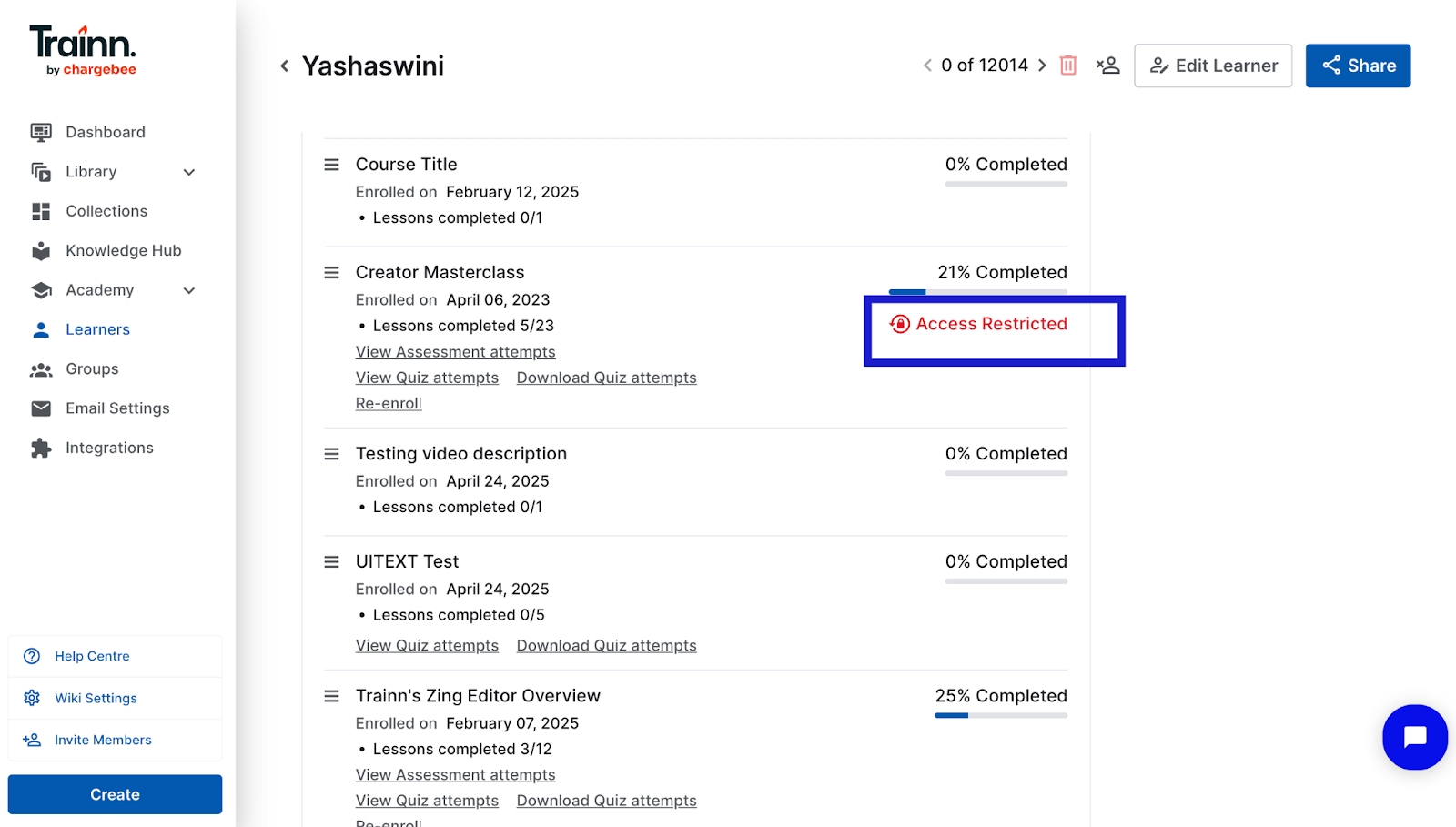
Click to Allow access for the learner
