
Video Creation
Guides
In-App Tutorials
Knowledge Hub
Academy
Administration
New Releases
- What is the maximum size of a pre-recorded video file when uploading to Trainn?
- How can I pause a recording and resume it later when I'm ready for the next step?
- What is the maximum duration for screen recording?
- Why isn’t my video automatically processed into multiple clips based on interactions made?
- How do I upgrade from trial to paid plan?
- Can I upload a file into Trainn?
- How to download a video?
How to change the thumbnail image of the Video?
Interactive
Guide
6 steps
How to change the thumbnail image of the Video?
C
Chethna
Jun 03, 2025
How to change the thumbnail image of the Video?
Solution
Trainn allows you to change the thumbnail image as needed. You can update the thumbnail whenever you want to modify your video's appearance.
Tip: Choose a clear, relevant thumbnail that represents your video content to improve viewer engagement.
Steps
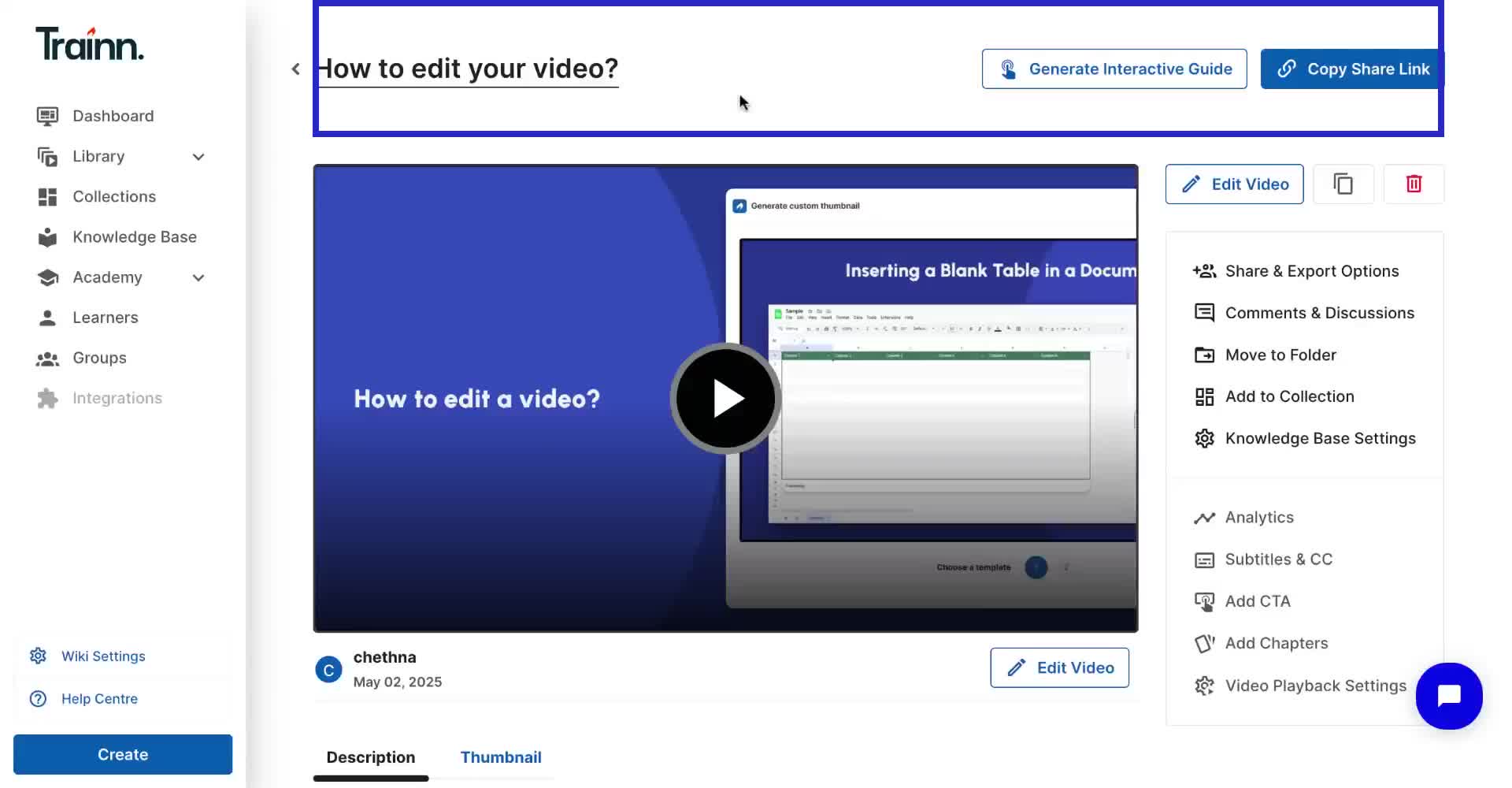
Go to the Published Video page.
Scroll down below the video to find the Thumbnail section
Hover over the current thumbnail image and click on the Upload icon.
In the thumbnail window, click on the image to upload the image from your files.
Click on Update to apply thumbnail image
Your video will display the new thumbnail image on the published page and wherever the video is shared.
