
See what new is brewing in Trainn. Get access to all the new and exciting features that we have been working on to make the Trainn experience better!
How to Start Video Discussions?
Akash Anil
Updated on May 23, 2025
How to Start Video Discussions?
Video Discussions allow creators and admins to collaborate directly within videos. This feature enables internal team members to provide feedback, suggest changes, and discuss content improvements in context.
A creator is someone who creates the video, this information will be present below the created video.
To Start a Discussion
Steps
Go to the published video page.
Navigate to the exact timestamp in the video where you want to leave feedback.
Click the Comments & Discussion button in the right menu bar.
Note: Comments are for interacting with learners, while discussions are for your internal team.
Click on Start Discussion.
Enter your feedback in the provided field. The timestamp is automatically filled based on where your play button was paused in the video timeline.
Click Submit.
Note: The video creator will receive an email notification about the received feedback.
To Respond to a Discussion
Steps
Click the Reply icon to open the chat window for the discussion.
Add your reply to the discussion.
Click Submit.
Discussion Notifications
Email Notification
Every time a discussion is started the creator will receive an email notification.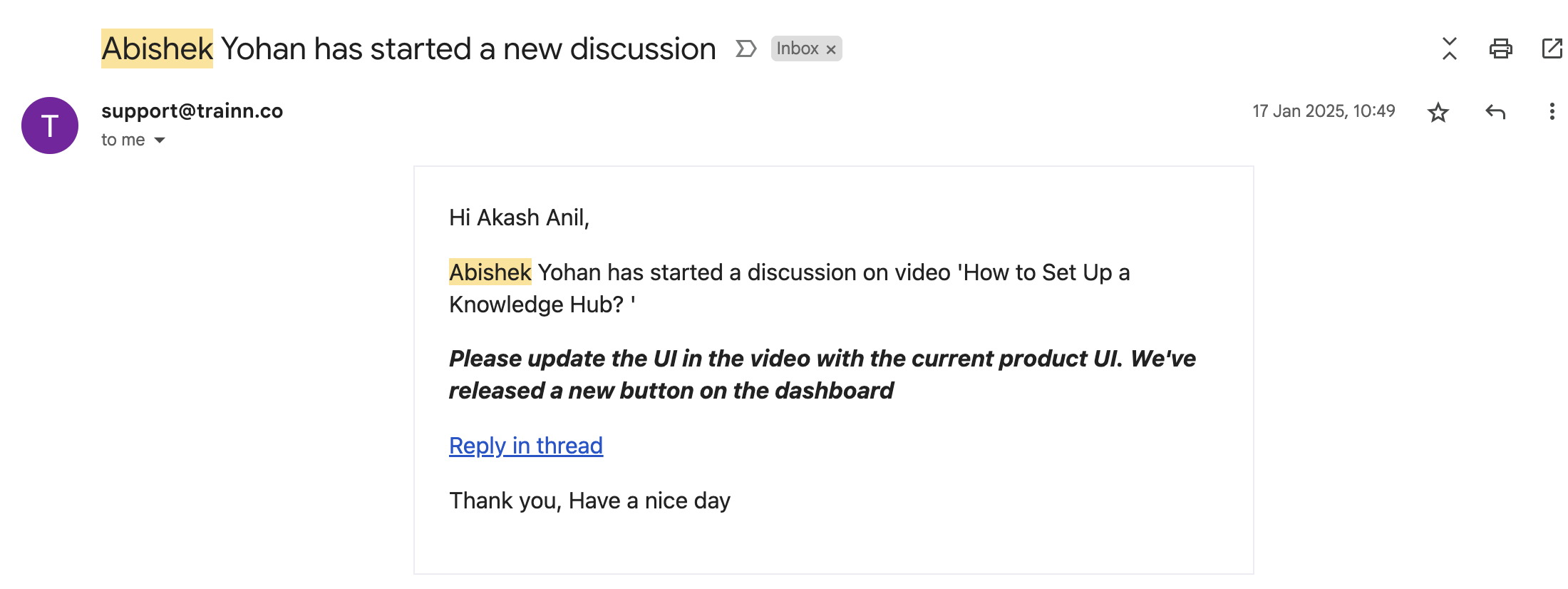
In-App Notifications
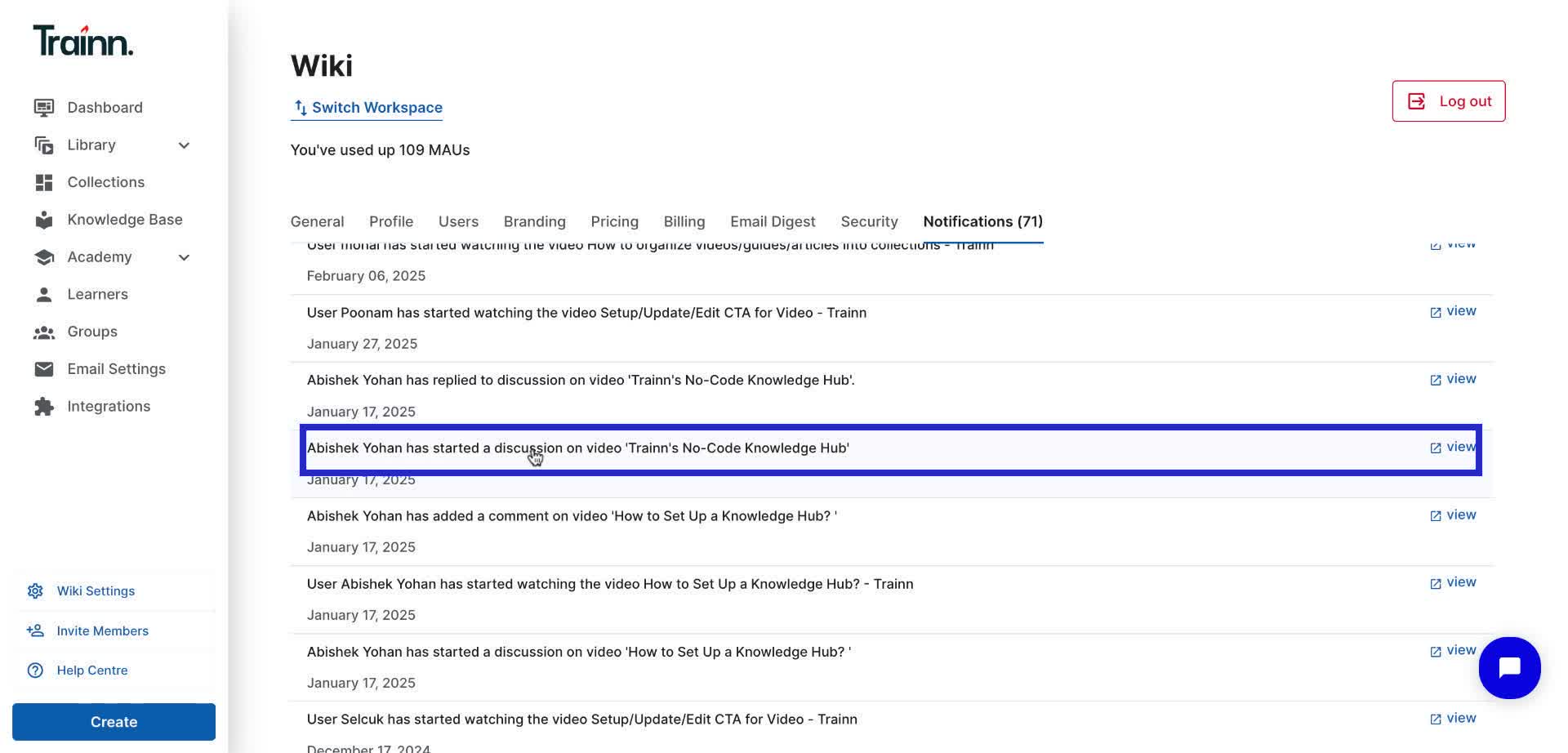
To access this, Click Workspace Settings> Notifications
The creator will also receive an in-app notification.
Who can use Team Discussions?
Anyone categorized as a creator, admin, or owner can access and be part of discussion conversations.
Quote: Team Discussions are available only from the Grow plan.
Note: Learners and external viewers cannot see or participate in Team Discussions.
Limitations
Discussions can only be started on published videos, not on videos in draft state.
