
Configure SAML Single Sign-On In Identity Provider
Enable Single Sign-On with SAML Sign-on mode
Configure Client Id as https://{workspace-domain-name}.api.trainn.co/academy
Provide the Application Callback URL or reply URL as https://{workspace-domain-name}.api.trainn.co/academy/saml/acs
Get the Identity Provider Login URL and SAML Certificate for integrating with Academy
Note: Workspace domain name can be found in the settings page.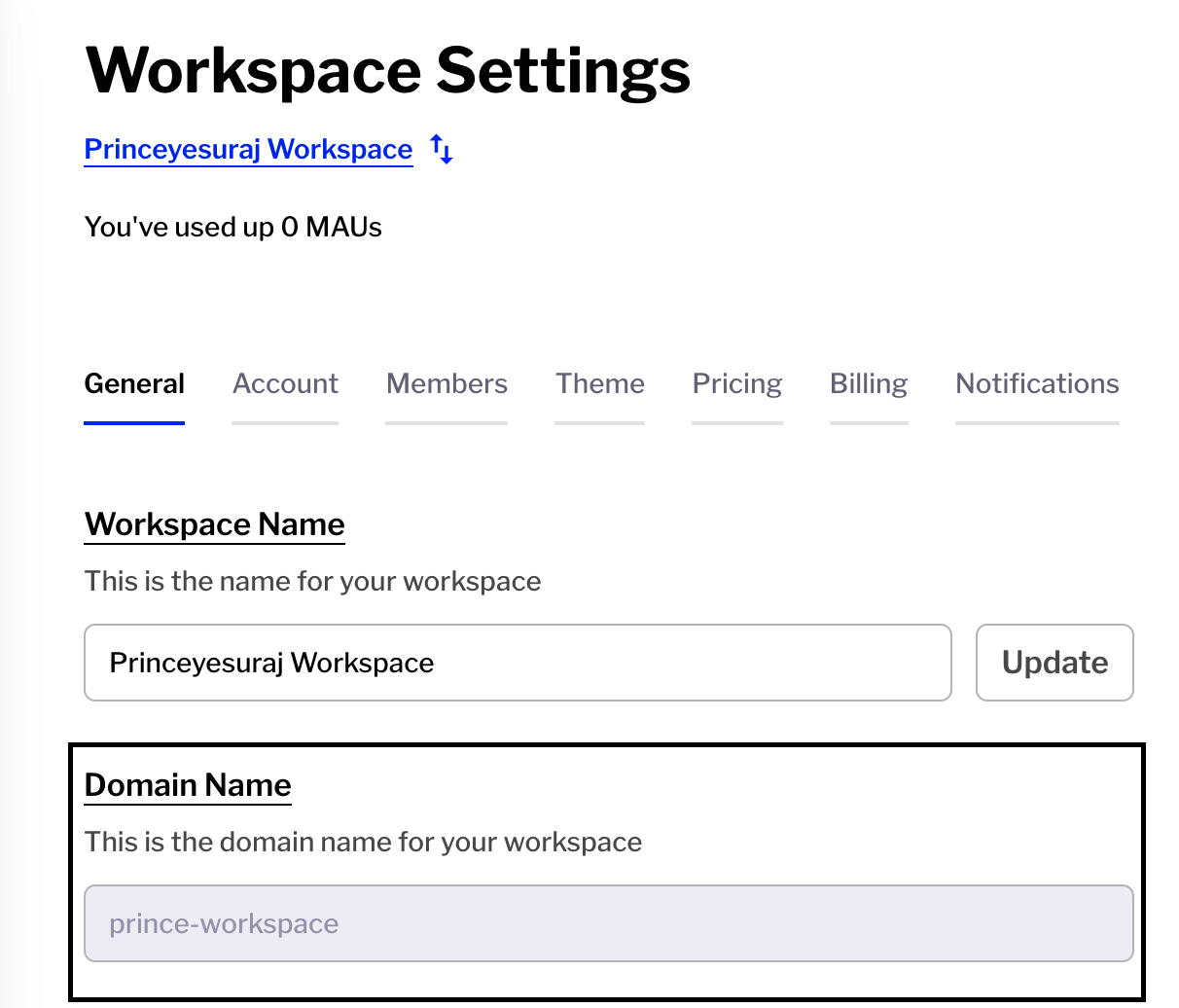
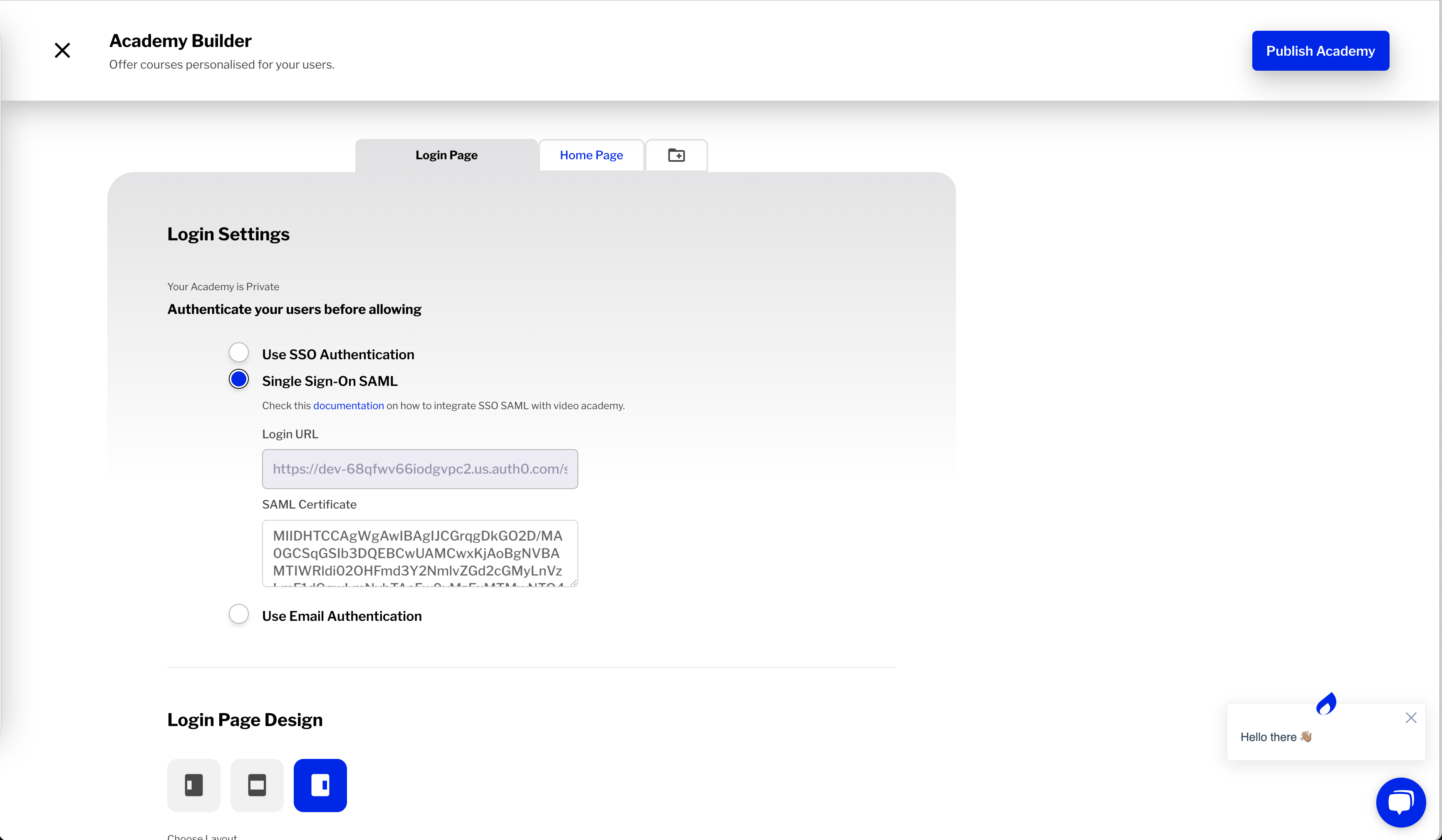
Enable SAML Single Sign-On for Academy
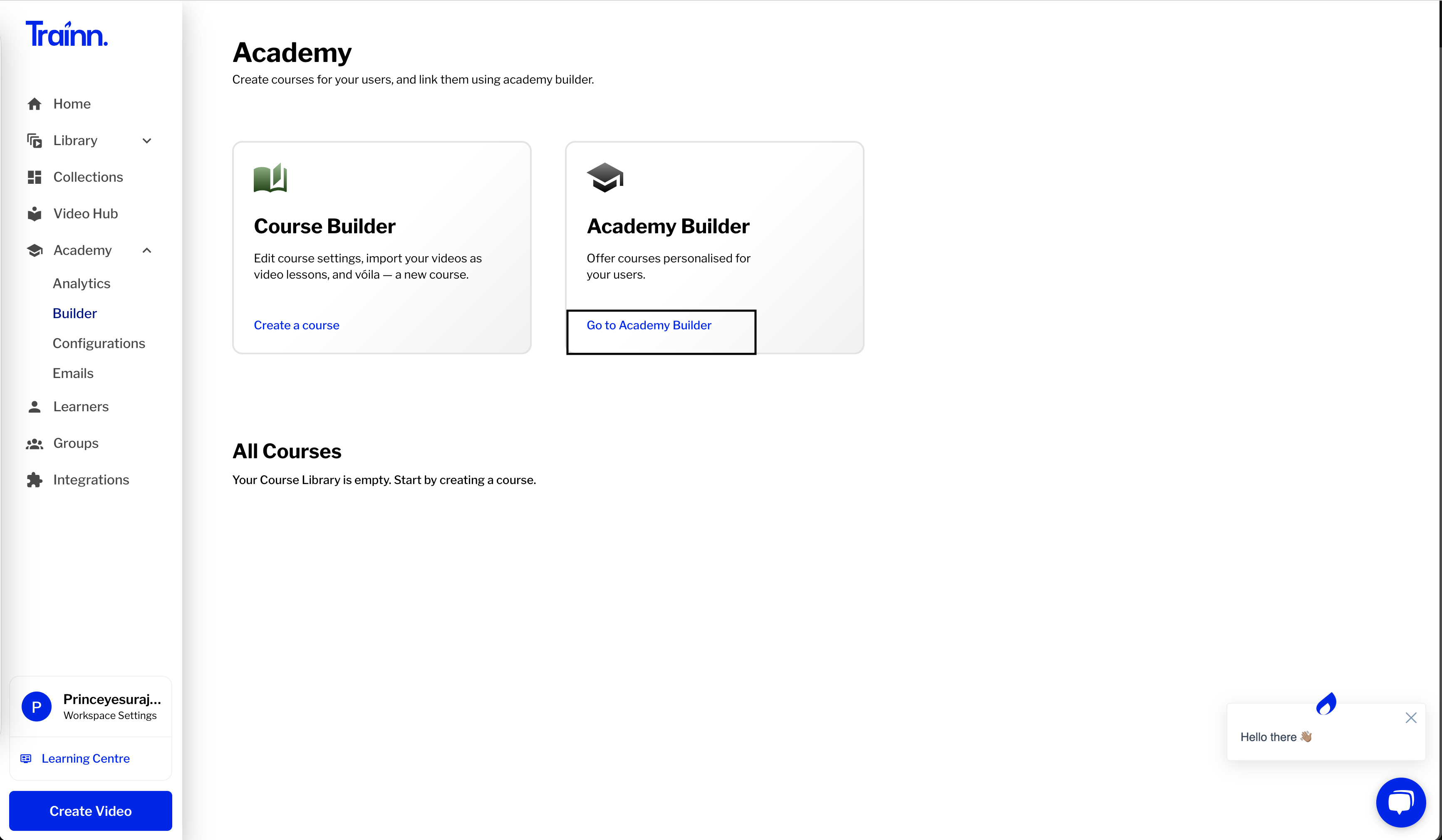
Go to Academy Builder
Select Single Sign-On SAML option
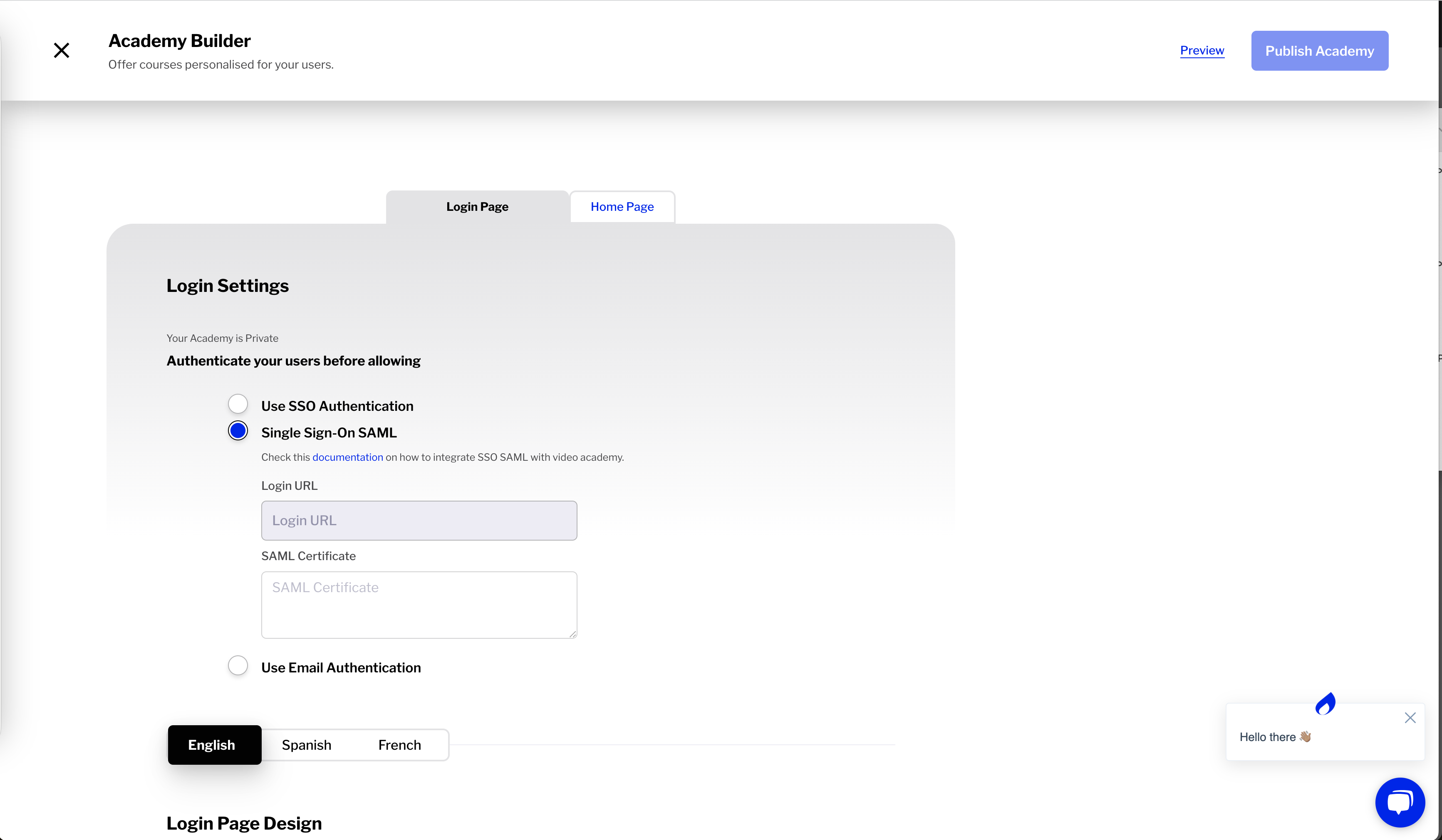
Enter Login URL and X.509 Certificate from the Identity Provider
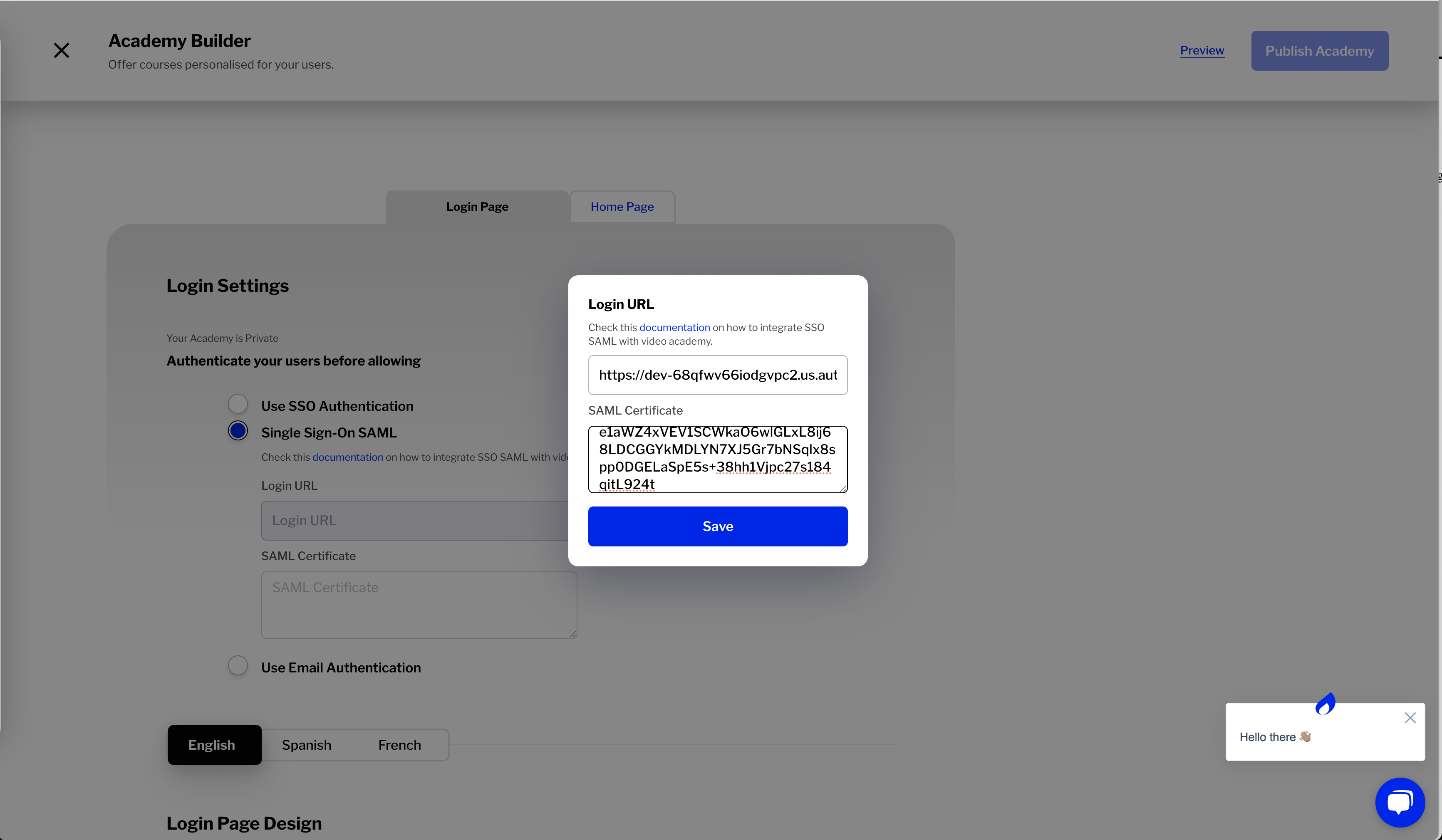
Save the Settings
Publish Academy
