
Learn how to manage your academy. This collections covers academy user roles, and permissions, learner management, configuring your academy, and essential documentation for academy authentication.
Types of user roles
Yash
Jul 02, 2025
Overview
Trainn offers a flexible roles and permissions system that allows you to manage user access based on their responsibilities within your workspace.
Each role comes with a predefined set of permissions that control what users can see and do within the workspace. These roles help streamline collaboration while maintaining security and control across your workspace.
Available Roles
Owner: Automatically assigned to the user who created the workspace. The Owner has unrestricted access to all features and settings. This role cannot be reassigned.
Admin: Granted to users who need full access to all features, similar to the Owner. Admins can manage content, users, settings, and academy operations.
Academy Manager: Focused on academy management. This role includes control over courses, learners, certifications, and training structure within the academy.
Creator: Intended for users responsible for building content. Creators have full access to create videos, guides, and other learning materials, and to structure the academy content.
Viewer: A limited access role. Viewers can access the Library and Collections to share content but cannot create or edit any materials.
Steps to access Users tab
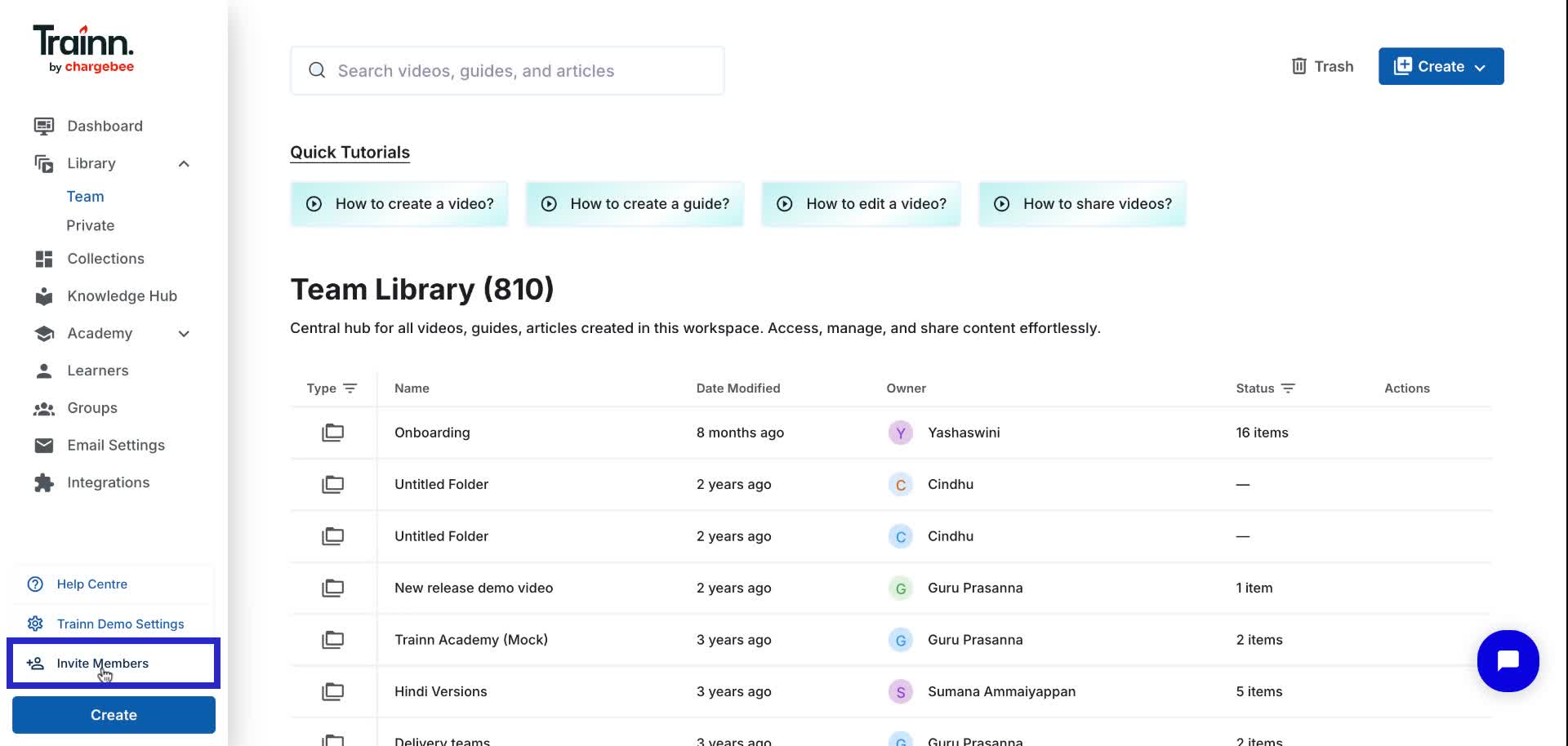
Click on "Invite Members" in the navigation bar.
Under the "Users" tab within the workspace settings, you can manage the User Roles & Permissions.
